Showing posts with label hard. Show all posts
Showing posts with label hard. Show all posts
Wednesday, February 4, 2015
Hard Reset Samsung Galaxy Tab 2 P5100
Hard Reset Samsung Galaxy Tab 2 P5100

Hard reset Tablets when you are not able to access Android Menu on your android tablet.
To follow the procedure you need to these simple steps.
- Turn off the Power by pressing Power button
- Press and hold the Volume up (+) button , Press power button .
- Keep holding both buttons until Android Logo appear
- Release all the button and blue recovery screen will be appeared
- Use volume + (UP)and volume -(down) buttons to select the "Wipe data /Factory Reset".
- Confirm Using Power button (Power button = Enter )
- Select "Yes -- delete all user data "
- Allow some time for factory data reset.
- When done select "Reboot system now" and confirm using power button.
- It will take some time to complete reboot process .

Sunday, February 1, 2015
Perform Hard Reset in your Samsung Galaxy Y S5360
Hi,
This is a bit old school phone. But I have still decided to make a tutorial just for the people that do not know how to hard reset / factory reset their Samsung Galaxy Y (S5360).
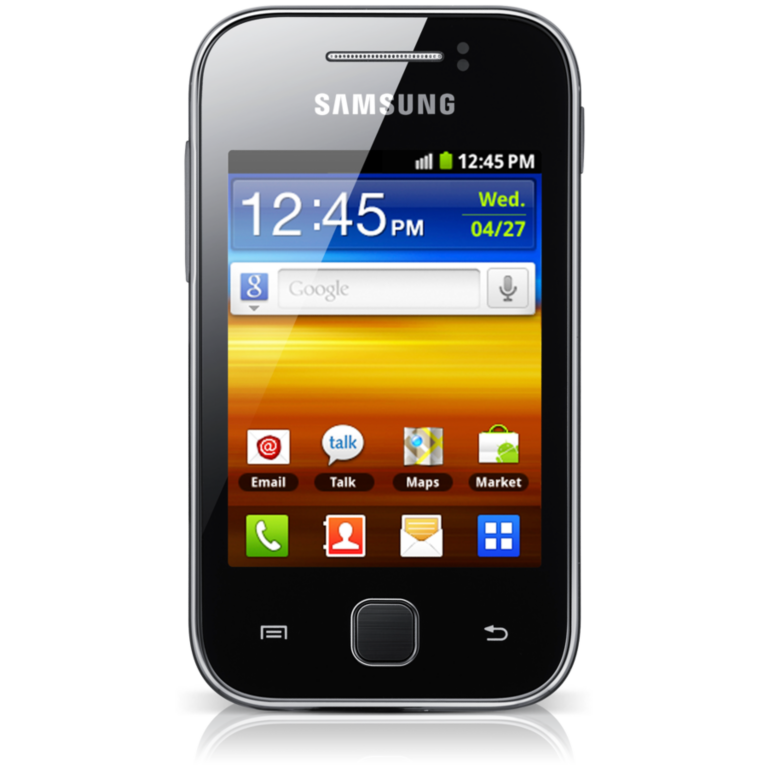
This procedure is almost identical to high end phone like Galaxy S3, Galaxy S4 and other Samsung devices.
NOTE: As I have always said, this will erase all your data such as contacts, messages, pictures, mp3 etc.. etc..
Here is the procedure
1. Turn off your phone
2. Press and Hold VOLUME UP + Home Button + POWER Button
3. Release the button when you see the Samsung Galaxy Y logo
4. Select wipe / factory reset, to navigate press the volume rocker, to select press the Home button
5. Reboot your phone
NOTE: If the process did not succeed you need to wipe the cache first before performing a wipe / factory reset.
I hope this tutorial help you.
Read more »
This is a bit old school phone. But I have still decided to make a tutorial just for the people that do not know how to hard reset / factory reset their Samsung Galaxy Y (S5360).
This procedure is almost identical to high end phone like Galaxy S3, Galaxy S4 and other Samsung devices.
NOTE: As I have always said, this will erase all your data such as contacts, messages, pictures, mp3 etc.. etc..
Here is the procedure
1. Turn off your phone
2. Press and Hold VOLUME UP + Home Button + POWER Button
3. Release the button when you see the Samsung Galaxy Y logo
4. Select wipe / factory reset, to navigate press the volume rocker, to select press the Home button
5. Reboot your phone
NOTE: If the process did not succeed you need to wipe the cache first before performing a wipe / factory reset.
I hope this tutorial help you.
Nokia Lumia 820 Hard Reset Format Lock Code Blue Screen
Before you proceed flashing / hard resetting your phone / tablet make sure to back up your important files if possible. Because we care about your data.
In this tutorial I will teach you how to hard reset your Nokia Lumia 820. This can also fix the cog wheel of death, blue screen of death. Hard reset combination works in other Windows Phone 8 devices.
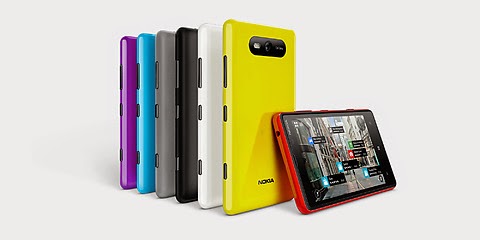
OK Lets proceed follow the instruction bollow
1. Turn the power Off.
2. Press and hold the Volume down and connect the charger or the USB cable with PC, for about 8 seconds, you will see an exclamation mark (!) on the screen. Note: If you do not press any of the following keys, then the phone wp8 will starts boot normally.
Then press the keys in this exact order:
1. Volume up
2. Volume down
3. Power
4. Volume down
Then wait until the phone reboot. Just be patient. It takes about 2-3 minutes until it reboot into normal state.
Read more »
We also suggest that your battery should be atleast 50% or better to have it fully charge, lower than the said value may cause unwanted result, such as bricking your phone / tablet rendering it unuseable. This is very important in flashing your phone / tablet. Use original USB cable as possible.
Files that you downloaded should not be corrupted, if ever the file is corrupted you might brick your phone. Or the flashing will start.
Drivers are very important specially in Spreadtrum Chipset, having an Spreadtrum SPD6610 (non android devices) driver will not work in SPD6820 (android devices).
If you are using laptop to flash your phone, make your that it has enough charge. If your laptop shutdown when your flashing your phone/tablet, youll end up bricking your phone. Sometimes you can still recover your phone just flash it again and your phone will boot up again. But that is just a case to case basis, if your phone / tablet is deadboot (totally dead, erased all program in the chip) you cant recover it, you will need to seek professional help (technician).
In this tutorial I will teach you how to hard reset your Nokia Lumia 820. This can also fix the cog wheel of death, blue screen of death. Hard reset combination works in other Windows Phone 8 devices.
OK Lets proceed follow the instruction bollow
1. Turn the power Off.
2. Press and hold the Volume down and connect the charger or the USB cable with PC, for about 8 seconds, you will see an exclamation mark (!) on the screen. Note: If you do not press any of the following keys, then the phone wp8 will starts boot normally.
Then press the keys in this exact order:
1. Volume up
2. Volume down
3. Power
4. Volume down
Then wait until the phone reboot. Just be patient. It takes about 2-3 minutes until it reboot into normal state.
Monday, January 26, 2015
Nokia Lumia 930 Hard Reset Blue Screen Reset Lock Code
Before you proceed flashing / hard resetting your phone / tablet make sure to back up your important files if possible. Because we care about your data.
In this tutorial I will teach you how to hard reset your Nokia Lumia 930 . This can also fix the cog wheel of death, blue screen of death. Hard reset combination works in other Windows Phone 8 devices.

OK Lets proceed follow the instruction bollow
1. Turn the power Off.
2. Press and hold the Volume down and connect the charger or the USB cable with PC, for about 8 seconds, you will see an exclamation mark (!) on the screen. Note: If you do not press any of the following keys, then the phone wp8 will starts boot normally.
Then press the keys in this exact order:
1. Volume up
2. Volume down
3. Power
4. Volume down
Then wait until the phone reboot. Just be patient. It takes about 2-3 minutes until it reboot into normal state.
Read more »
We also suggest that your battery should be atleast 50% or better to have it fully charge, lower than the said value may cause unwanted result, such as bricking your phone / tablet rendering it unuseable. This is very important in flashing your phone / tablet. Use original USB cable as possible.
Files that you downloaded should not be corrupted, if ever the file is corrupted you might brick your phone. Or the flashing will start.
Drivers are very important specially in Spreadtrum Chipset, having an Spreadtrum SPD6610 (non android devices) driver will not work in SPD6820 (android devices).
If you are using laptop to flash your phone, make your that it has enough charge. If your laptop shutdown when your flashing your phone/tablet, youll end up bricking your phone. Sometimes you can still recover your phone just flash it again and your phone will boot up again. But that is just a case to case basis, if your phone / tablet is deadboot (totally dead, erased all program in the chip) you cant recover it, you will need to seek professional help (technician).
In this tutorial I will teach you how to hard reset your Nokia Lumia 930 . This can also fix the cog wheel of death, blue screen of death. Hard reset combination works in other Windows Phone 8 devices.
OK Lets proceed follow the instruction bollow
1. Turn the power Off.
2. Press and hold the Volume down and connect the charger or the USB cable with PC, for about 8 seconds, you will see an exclamation mark (!) on the screen. Note: If you do not press any of the following keys, then the phone wp8 will starts boot normally.
Then press the keys in this exact order:
1. Volume up
2. Volume down
3. Power
4. Volume down
Then wait until the phone reboot. Just be patient. It takes about 2-3 minutes until it reboot into normal state.
Sunday, January 25, 2015
Hard Reset Nokia Lumia 2520 Window Tablet
Hard Reset Nokia Lumia Tablet 2520
Windows Tablet
 |
| Nokia Lumia 2520 Window Tablet |
What is Hard Reset ?
A hard reset is also called Factory reset. When you restore your Android device to state when it left the factory or first time the Smartphones or Tablets turns on . Hard Reset erase all user setting,contents (i.e games,contacts,messages,apps preference setting ,bookmarks,third party apps as well .) So if youre enough lucky then you can make backup of all your data before hard reset .In most cases user data lost. Different Android Devices have different method for Hard Reset.
How to Hard Reset Nokia Lumia 2520 Windows Tablet ?
- Turn off the window tablet completely . Hold down power button for 10 sec.
- Press power button momentarily to turn on the Nokia Lumia tablet.
- You will see green led light near front camera .
- As soon as you see Nokia logo press power button to turn off Window tablet.
- Basically you have to interrupt the boot sequence to enter in recovery mode.
- Repeat this step for once more.
- Turn on window tablet 3rd time without interpreting the boot sequence. You will seePreparing Automatic Repair followed by Diagnosing your PC.
- You have successfully enter into recovery mode.
- Follow the guide shown on screen .
You may also like to Read.
How to hard reset Scroll Basic Plus tablets.
How to hard reset Vox Mid V91 Tablets
Hard Reset Mediacom Smartpad 715i Tablets.
Hard Reset Coby Kyros Mid 7010 WC Tablets
Hard Reset Samsung Galaxy Tab 2 P5100 Tablets
Hard Reset Acer Iconia A500 Tablets
Hard Reset Symphony w20 Tablets
Hard Reset Archos 101 Titanium Tablets
Saturday, January 24, 2015
Huawei U8815 Hard Reset Hang Google Account Removal Pattern Lock
Before you proceed flashing / hard resetting your phone / tablet make sure to back up your important files if possible. Because we care about your data.
We also suggest that your battery should be atleast 50% or better to have it fully charge, lower than the said value may cause unwanted result, such as bricking your phone / tablet rendering it unuseable. This is very important in flashing your phone / tablet. Use original USB cable as possible.
Files that you downloaded should not be corrupted, if ever the file is corrupted you might brick your phone. Or the flashing will start.
Drivers are very important specially in Spreadtrum Chipset, having an Spreadtrum SPD6610 (non android devices) driver will not work in SPD6820 (android devices).
If you are using laptop to flash your phone, make your that it has enough charge. If your laptop shutdown when your flashing your phone/tablet, youll end up bricking your phone. Sometimes you can still recover your phone just flash it again and your phone will boot up again. But that is just a case to case basis, if your phone / tablet is deadboot (totally dead, erased all program in the chip) you cant recover it, you will need to seek professional help (technician).
In this tutorial I will gonna teach you how to hard reset your Huawei U8815. This can fix the following issues that you are experiencing in your phone:
1. Force Close Apps
2. If you forgot your Google Account
3. Hang in Logo (sometimes)
4. Pattern Lock

1. Press Volume Up + Power Button
2. Android Recovery Mode will appear.
3. Select wipe data/factory reset (to navigate press the volume rocker, to select press power button
4. Reboot your phone
If you find the tutorial incorrect please drop us a comment. Thank you.
Nokia Lumia 1520 Hard Reset Format Lock Code Blue Screen
Before you proceed flashing / hard resetting your phone / tablet make sure to back up your important files if possible. Because we care about your data.
In this tutorial I will teach you how to hard reset your Nokia Lumia 1520. This can also fix the cog wheel of death, blue screen of death. Hard reset combination works in other Windows Phone 8 devices.

OK Lets proceed follow the instruction bollow
1. Turn the power Off.
2. Press and hold the Volume down and connect the charger or the USB cable with PC, for about 8 seconds, you will see an exclamation mark (!) on the screen. Note: If you do not press any of the following keys, then the phone wp8 will starts boot normally.
Then press the keys in this exact order:
1. Volume up
2. Volume down
3. Power
4. Volume down
Then wait until the phone reboot. Just be patient. It takes about 2-3 minutes until it reboot into normal state.
Read more »
We also suggest that your battery should be atleast 50% or better to have it fully charge, lower than the said value may cause unwanted result, such as bricking your phone / tablet rendering it unuseable. This is very important in flashing your phone / tablet. Use original USB cable as possible.
Files that you downloaded should not be corrupted, if ever the file is corrupted you might brick your phone. Or the flashing will start.
Drivers are very important specially in Spreadtrum Chipset, having an Spreadtrum SPD6610 (non android devices) driver will not work in SPD6820 (android devices).
If you are using laptop to flash your phone, make your that it has enough charge. If your laptop shutdown when your flashing your phone/tablet, youll end up bricking your phone. Sometimes you can still recover your phone just flash it again and your phone will boot up again. But that is just a case to case basis, if your phone / tablet is deadboot (totally dead, erased all program in the chip) you cant recover it, you will need to seek professional help (technician).
In this tutorial I will teach you how to hard reset your Nokia Lumia 1520. This can also fix the cog wheel of death, blue screen of death. Hard reset combination works in other Windows Phone 8 devices.
OK Lets proceed follow the instruction bollow
1. Turn the power Off.
2. Press and hold the Volume down and connect the charger or the USB cable with PC, for about 8 seconds, you will see an exclamation mark (!) on the screen. Note: If you do not press any of the following keys, then the phone wp8 will starts boot normally.
Then press the keys in this exact order:
1. Volume up
2. Volume down
3. Power
4. Volume down
Then wait until the phone reboot. Just be patient. It takes about 2-3 minutes until it reboot into normal state.
Friday, January 23, 2015
Hard Reset your Star Mobile Vida and remove password pattern lock gmail account
The Star Mobile Vida dropped by in my workplace and I made a tutorial in how to hard reset your Star Mobile Vida.

Hard resetting / factory resetting your phone will solve the following issues:
1. If you forgot your pattern lock
2. If you forgot your gmail account
3. If you forgot your password
4. Apps that automatically force closing
5. Stuck in Star Mobile Logo (sometimes does not work if the firmware is totally damage)
NOTE: Performing hard reset will erase your data.
To hard reset:
1. Turn off your phone.
2. Press and Hold VOLUME DOWN and Power Button simultaneously and wait for it to power on but keep holding the button until you see the engineering mode
3. Engineering mode will appear.
4.Select CLEAR eMMC, press Volume rocker to navigate and press the POWER Button to confirm your selection
5. Reboot your phone.
I hope this tutorial helps you.. If you have any question just drop a comment.
Read more »
Hard resetting / factory resetting your phone will solve the following issues:
1. If you forgot your pattern lock
2. If you forgot your gmail account
3. If you forgot your password
4. Apps that automatically force closing
5. Stuck in Star Mobile Logo (sometimes does not work if the firmware is totally damage)
NOTE: Performing hard reset will erase your data.
To hard reset:
1. Turn off your phone.
2. Press and Hold VOLUME DOWN and Power Button simultaneously and wait for it to power on but keep holding the button until you see the engineering mode
3. Engineering mode will appear.
4.Select CLEAR eMMC, press Volume rocker to navigate and press the POWER Button to confirm your selection
5. Reboot your phone.
I hope this tutorial helps you.. If you have any question just drop a comment.
Wednesday, January 21, 2015
Hard Reset Asus Fonepad K004 Android Tablet Pc
How to Hard Reset Asus Fonepad K004 Android tablet Pc
 |
| Asus Fonepad K004 |
What is Hard Reset ?
A hard reset is also called Factory reset. When you restore your Android device to state when it left the factory or first time the Smartphones or Tablets turns on . Hard Reset erase all user setting,contents (i.e games,contacts,messages,apps preference setting ,bookmarks,third party apps as well .) So if youre enough lucky then you can make backup of all your data before hard reset .In most cases user data lost. Different Android Devices have different method for Hard Reset.
When Hard Reset is Necessary for Smartphones or Tablets ?
1. Forgotten Pattern Lock on Android Tablets or Smartphones.
2.Too many pattern attempts / Reset user lock.
3. Tablets PC,Smartphones stuck on Gmail account.
4. Android Tablet PC stuck on Android logo.
5. Tablet Android or Smartphones hang on start-up / Multiple errors generating by OS.
6. Android market having problems or generating errors.
7.Upgrading to new Android version.
6. Android market having problems or generating errors.
7.Upgrading to new Android version.
Make sure to charge battery upto 60%.
How to Hard Reset Asus Fonepad k004 Android tablet pc ?
How to Hard Reset Asus Fonepad k004 Android tablet pc ?
- Turn off tablet pc completely.
- Press and hold volume up(+) button.
- Press power button while holding power up button.
- " No usb cable connected " option will pop up.Leave all the buttons.
- Press Volume Up (+) and Volume Down (-) button together and leave.
- Again press Volume Up (+) and Volume Down (-) button together.
- Android tablet pc will be start in recovery mode.
- With the help of Volume button go to Factory reset.
- Press power button to select factory reset.
you are done.
Related Posts.
How to hard reset Scroll Basic Plus tablets.
How to hard reset Vox Mid V91 Tablets
Hard Reset Mediacom Smartpad 715i Tablets.
Hard Reset Coby Kyros Mid 7010 WC Tablets
Hard Reset Samsung Galaxy Tab 2 P5100 Tablets
Hard Reset Acer Iconia A500 Tablets
Hard Reset Symphony w20 Tablets
Subscribe to:
Posts (Atom)