Showing posts with label tab. Show all posts
Showing posts with label tab. Show all posts
Monday, March 2, 2015
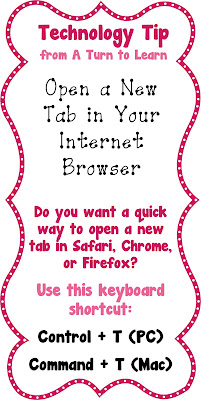
Open a New Tab
I probably use this little tip at least 30 times a day!!! How to quickly open a new tab in your internet browser!
For those of you who are a fan of my Thursday Tips, I am sorry to say t hat this is the last one I can think of! However, this does leave me some time to start a new regular feature: Fonts on the First! Stay tuned this Monday, April 1st for my first collection of seasonal fonts for personal and commercial use!
Read more »
For those of you who are a fan of my Thursday Tips, I am sorry to say t hat this is the last one I can think of! However, this does leave me some time to start a new regular feature: Fonts on the First! Stay tuned this Monday, April 1st for my first collection of seasonal fonts for personal and commercial use!

Wednesday, February 4, 2015
Hard Reset Samsung Galaxy Tab 2 P5100
Hard Reset Samsung Galaxy Tab 2 P5100

Hard reset Tablets when you are not able to access Android Menu on your android tablet.
To follow the procedure you need to these simple steps.
- Turn off the Power by pressing Power button
- Press and hold the Volume up (+) button , Press power button .
- Keep holding both buttons until Android Logo appear
- Release all the button and blue recovery screen will be appeared
- Use volume + (UP)and volume -(down) buttons to select the "Wipe data /Factory Reset".
- Confirm Using Power button (Power button = Enter )
- Select "Yes -- delete all user data "
- Allow some time for factory data reset.
- When done select "Reboot system now" and confirm using power button.
- It will take some time to complete reboot process .
Subscribe to:
Posts (Atom)