Showing posts with label samsung. Show all posts
Showing posts with label samsung. Show all posts
Wednesday, February 4, 2015
Hard Reset Samsung Galaxy Tab 2 P5100
Hard Reset Samsung Galaxy Tab 2 P5100

Hard reset Tablets when you are not able to access Android Menu on your android tablet.
To follow the procedure you need to these simple steps.
- Turn off the Power by pressing Power button
- Press and hold the Volume up (+) button , Press power button .
- Keep holding both buttons until Android Logo appear
- Release all the button and blue recovery screen will be appeared
- Use volume + (UP)and volume -(down) buttons to select the "Wipe data /Factory Reset".
- Confirm Using Power button (Power button = Enter )
- Select "Yes -- delete all user data "
- Allow some time for factory data reset.
- When done select "Reboot system now" and confirm using power button.
- It will take some time to complete reboot process .

Sunday, February 1, 2015
Perform Hard Reset in your Samsung Galaxy Y S5360
Hi,
This is a bit old school phone. But I have still decided to make a tutorial just for the people that do not know how to hard reset / factory reset their Samsung Galaxy Y (S5360).
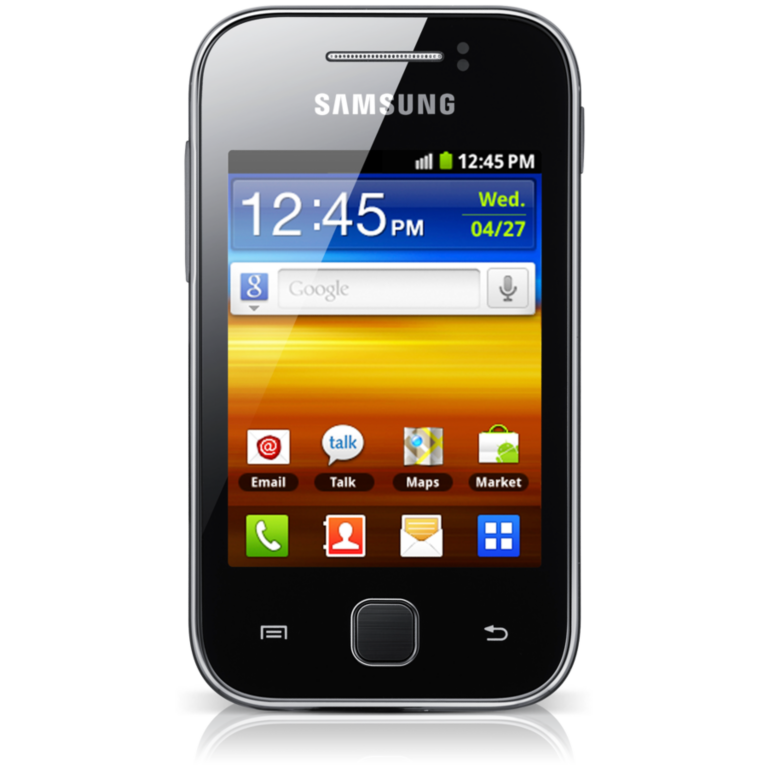
This procedure is almost identical to high end phone like Galaxy S3, Galaxy S4 and other Samsung devices.
NOTE: As I have always said, this will erase all your data such as contacts, messages, pictures, mp3 etc.. etc..
Here is the procedure
1. Turn off your phone
2. Press and Hold VOLUME UP + Home Button + POWER Button
3. Release the button when you see the Samsung Galaxy Y logo
4. Select wipe / factory reset, to navigate press the volume rocker, to select press the Home button
5. Reboot your phone
NOTE: If the process did not succeed you need to wipe the cache first before performing a wipe / factory reset.
I hope this tutorial help you.
Read more »
This is a bit old school phone. But I have still decided to make a tutorial just for the people that do not know how to hard reset / factory reset their Samsung Galaxy Y (S5360).
This procedure is almost identical to high end phone like Galaxy S3, Galaxy S4 and other Samsung devices.
NOTE: As I have always said, this will erase all your data such as contacts, messages, pictures, mp3 etc.. etc..
Here is the procedure
1. Turn off your phone
2. Press and Hold VOLUME UP + Home Button + POWER Button
3. Release the button when you see the Samsung Galaxy Y logo
4. Select wipe / factory reset, to navigate press the volume rocker, to select press the Home button
5. Reboot your phone
NOTE: If the process did not succeed you need to wipe the cache first before performing a wipe / factory reset.
I hope this tutorial help you.
Wednesday, January 21, 2015
Samsung Stock ROM Fimware
This will be the unified firmware to download for Samsung devices. I will gonna update this post from time to time.
 Samsung STOCK ROM / FIRMWARE
Samsung E1200m
E1200MXELC8_OXELC8.zip - 2 MB
Samsung E2222
E2222JPKE2_OJPKE1.zip - 52 MB
Samsung C3303k
C3303k.zip - 48 MB
Samsung S5233W
S5233WDQJH2.zip - 85 MB
Samsung Galaxy Ace S5830i
S5830IJPLB1_S6830IOJPLA5.zip - 128 MB - Arabic
Samsung Galaxy Y S5360
S5360_DXMA1.zip - 131 MB
Samsung Galaxy Mini S5570i
S5570iXXLB2_OXXLB3.zip - 126 MB
Read more »
Samsung E1200m
E1200MXELC8_OXELC8.zip - 2 MB
Samsung E2222
E2222JPKE2_OJPKE1.zip - 52 MB
Samsung C3303k
C3303k.zip - 48 MB
Samsung S5233W
S5233WDQJH2.zip - 85 MB
Samsung Galaxy Ace S5830i
S5830IJPLB1_S6830IOJPLA5.zip - 128 MB - Arabic
Samsung Galaxy Y S5360
S5360_DXMA1.zip - 131 MB
Samsung Galaxy Mini S5570i
S5570iXXLB2_OXXLB3.zip - 126 MB
Arabic
Subscribe to:
Posts (Atom)