Showing posts with label screen. Show all posts
Showing posts with label screen. Show all posts
Sunday, February 15, 2015
Free PSD Mobile Screen MockUp
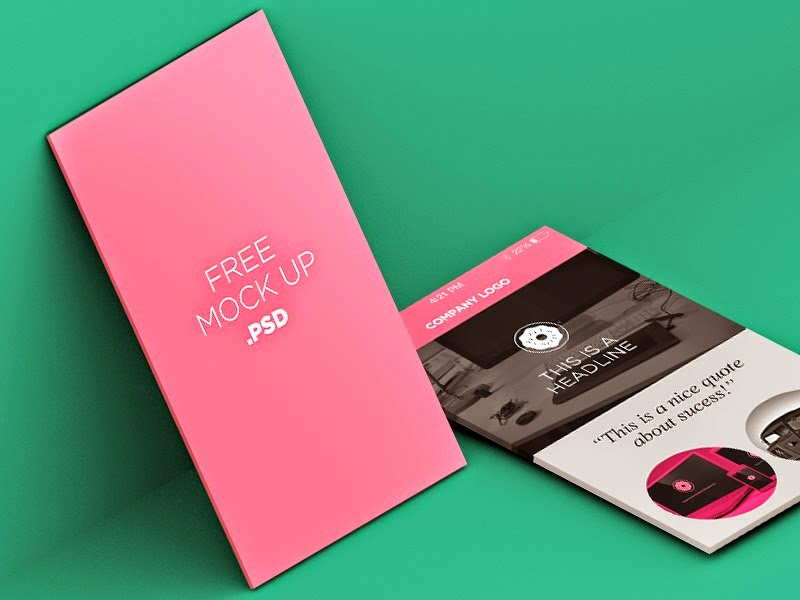
Free Download PSD Mobile Screen MockUp. Ive been working this weekend in different ways of showing screen mock up, after some tries, i got this. Enjoy!
Type : PSD
Category : Mockups
License : Free
Author : Freegoodiesfordesigners
Download

Sunday, February 1, 2015
Nokia Lumia 820 Hard Reset Format Lock Code Blue Screen
Before you proceed flashing / hard resetting your phone / tablet make sure to back up your important files if possible. Because we care about your data.
In this tutorial I will teach you how to hard reset your Nokia Lumia 820. This can also fix the cog wheel of death, blue screen of death. Hard reset combination works in other Windows Phone 8 devices.
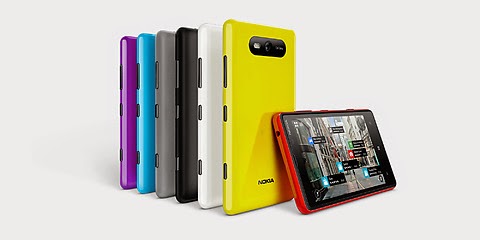
OK Lets proceed follow the instruction bollow
1. Turn the power Off.
2. Press and hold the Volume down and connect the charger or the USB cable with PC, for about 8 seconds, you will see an exclamation mark (!) on the screen. Note: If you do not press any of the following keys, then the phone wp8 will starts boot normally.
Then press the keys in this exact order:
1. Volume up
2. Volume down
3. Power
4. Volume down
Then wait until the phone reboot. Just be patient. It takes about 2-3 minutes until it reboot into normal state.
Read more »
We also suggest that your battery should be atleast 50% or better to have it fully charge, lower than the said value may cause unwanted result, such as bricking your phone / tablet rendering it unuseable. This is very important in flashing your phone / tablet. Use original USB cable as possible.
Files that you downloaded should not be corrupted, if ever the file is corrupted you might brick your phone. Or the flashing will start.
Drivers are very important specially in Spreadtrum Chipset, having an Spreadtrum SPD6610 (non android devices) driver will not work in SPD6820 (android devices).
If you are using laptop to flash your phone, make your that it has enough charge. If your laptop shutdown when your flashing your phone/tablet, youll end up bricking your phone. Sometimes you can still recover your phone just flash it again and your phone will boot up again. But that is just a case to case basis, if your phone / tablet is deadboot (totally dead, erased all program in the chip) you cant recover it, you will need to seek professional help (technician).
In this tutorial I will teach you how to hard reset your Nokia Lumia 820. This can also fix the cog wheel of death, blue screen of death. Hard reset combination works in other Windows Phone 8 devices.
OK Lets proceed follow the instruction bollow
1. Turn the power Off.
2. Press and hold the Volume down and connect the charger or the USB cable with PC, for about 8 seconds, you will see an exclamation mark (!) on the screen. Note: If you do not press any of the following keys, then the phone wp8 will starts boot normally.
Then press the keys in this exact order:
1. Volume up
2. Volume down
3. Power
4. Volume down
Then wait until the phone reboot. Just be patient. It takes about 2-3 minutes until it reboot into normal state.
Saturday, January 31, 2015
jQuery Touch Screen Effect Image Slider Mouse Press and Move
As the People started using Touch Screen devices, More than half of the Traffic now comes from Touch Screen Devices. It is important to have Image Slider having same effect on Computer screen.

Download Demo view-source
<script type=text/javascript src=http://code.jquery.com/jquery-1.4.2.js></script>
<script type=text/javascript src=http://smoothdivscroll.com/js/jquery-ui-1.8.23.custom.min.js></script>
<script type=text/javascript src=http://smoothdivscroll.com/js/jquery.mousewheel.min.js></script>
<script src="http://smoothdivscroll.com/js/jquery.smoothdivscroll-1.3-min.js"></script>
<script src="http://smoothdivscroll.com/js/jquery.kinetic.js"></script>
<script type="text/javascript">
    // Initialize the plugin with no custom options
    $(document).ready(function () {
        $("#makeMeScrollable").smoothDivScroll({
            hotSpotScrolling: false,
            touchScrolling: true,
            manualContinuousScrolling: true,
            mousewheelScrolling: false
        });
    });
</script>
Monday, January 26, 2015
Nokia Lumia 930 Hard Reset Blue Screen Reset Lock Code
Before you proceed flashing / hard resetting your phone / tablet make sure to back up your important files if possible. Because we care about your data.
In this tutorial I will teach you how to hard reset your Nokia Lumia 930 . This can also fix the cog wheel of death, blue screen of death. Hard reset combination works in other Windows Phone 8 devices.

OK Lets proceed follow the instruction bollow
1. Turn the power Off.
2. Press and hold the Volume down and connect the charger or the USB cable with PC, for about 8 seconds, you will see an exclamation mark (!) on the screen. Note: If you do not press any of the following keys, then the phone wp8 will starts boot normally.
Then press the keys in this exact order:
1. Volume up
2. Volume down
3. Power
4. Volume down
Then wait until the phone reboot. Just be patient. It takes about 2-3 minutes until it reboot into normal state.
Read more »
We also suggest that your battery should be atleast 50% or better to have it fully charge, lower than the said value may cause unwanted result, such as bricking your phone / tablet rendering it unuseable. This is very important in flashing your phone / tablet. Use original USB cable as possible.
Files that you downloaded should not be corrupted, if ever the file is corrupted you might brick your phone. Or the flashing will start.
Drivers are very important specially in Spreadtrum Chipset, having an Spreadtrum SPD6610 (non android devices) driver will not work in SPD6820 (android devices).
If you are using laptop to flash your phone, make your that it has enough charge. If your laptop shutdown when your flashing your phone/tablet, youll end up bricking your phone. Sometimes you can still recover your phone just flash it again and your phone will boot up again. But that is just a case to case basis, if your phone / tablet is deadboot (totally dead, erased all program in the chip) you cant recover it, you will need to seek professional help (technician).
In this tutorial I will teach you how to hard reset your Nokia Lumia 930 . This can also fix the cog wheel of death, blue screen of death. Hard reset combination works in other Windows Phone 8 devices.
OK Lets proceed follow the instruction bollow
1. Turn the power Off.
2. Press and hold the Volume down and connect the charger or the USB cable with PC, for about 8 seconds, you will see an exclamation mark (!) on the screen. Note: If you do not press any of the following keys, then the phone wp8 will starts boot normally.
Then press the keys in this exact order:
1. Volume up
2. Volume down
3. Power
4. Volume down
Then wait until the phone reboot. Just be patient. It takes about 2-3 minutes until it reboot into normal state.
Saturday, January 24, 2015
Nokia Lumia 1520 Hard Reset Format Lock Code Blue Screen
Before you proceed flashing / hard resetting your phone / tablet make sure to back up your important files if possible. Because we care about your data.
In this tutorial I will teach you how to hard reset your Nokia Lumia 1520. This can also fix the cog wheel of death, blue screen of death. Hard reset combination works in other Windows Phone 8 devices.

OK Lets proceed follow the instruction bollow
1. Turn the power Off.
2. Press and hold the Volume down and connect the charger or the USB cable with PC, for about 8 seconds, you will see an exclamation mark (!) on the screen. Note: If you do not press any of the following keys, then the phone wp8 will starts boot normally.
Then press the keys in this exact order:
1. Volume up
2. Volume down
3. Power
4. Volume down
Then wait until the phone reboot. Just be patient. It takes about 2-3 minutes until it reboot into normal state.
Read more »
We also suggest that your battery should be atleast 50% or better to have it fully charge, lower than the said value may cause unwanted result, such as bricking your phone / tablet rendering it unuseable. This is very important in flashing your phone / tablet. Use original USB cable as possible.
Files that you downloaded should not be corrupted, if ever the file is corrupted you might brick your phone. Or the flashing will start.
Drivers are very important specially in Spreadtrum Chipset, having an Spreadtrum SPD6610 (non android devices) driver will not work in SPD6820 (android devices).
If you are using laptop to flash your phone, make your that it has enough charge. If your laptop shutdown when your flashing your phone/tablet, youll end up bricking your phone. Sometimes you can still recover your phone just flash it again and your phone will boot up again. But that is just a case to case basis, if your phone / tablet is deadboot (totally dead, erased all program in the chip) you cant recover it, you will need to seek professional help (technician).
In this tutorial I will teach you how to hard reset your Nokia Lumia 1520. This can also fix the cog wheel of death, blue screen of death. Hard reset combination works in other Windows Phone 8 devices.
OK Lets proceed follow the instruction bollow
1. Turn the power Off.
2. Press and hold the Volume down and connect the charger or the USB cable with PC, for about 8 seconds, you will see an exclamation mark (!) on the screen. Note: If you do not press any of the following keys, then the phone wp8 will starts boot normally.
Then press the keys in this exact order:
1. Volume up
2. Volume down
3. Power
4. Volume down
Then wait until the phone reboot. Just be patient. It takes about 2-3 minutes until it reboot into normal state.
Subscribe to:
Posts (Atom)